
Calendar for NativePHP Mobile#
Native calendars & events — from PHP, on both platforms.#
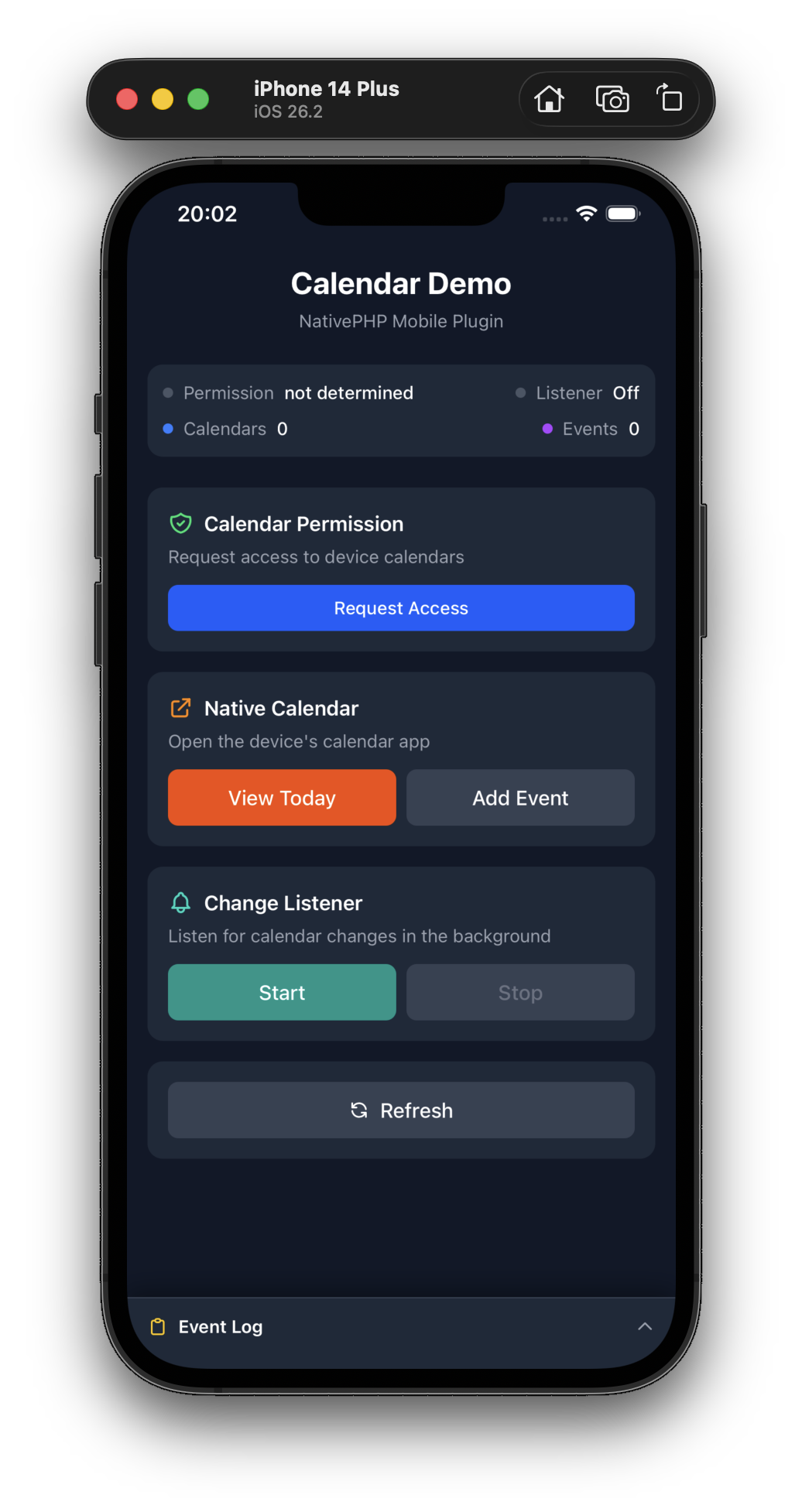
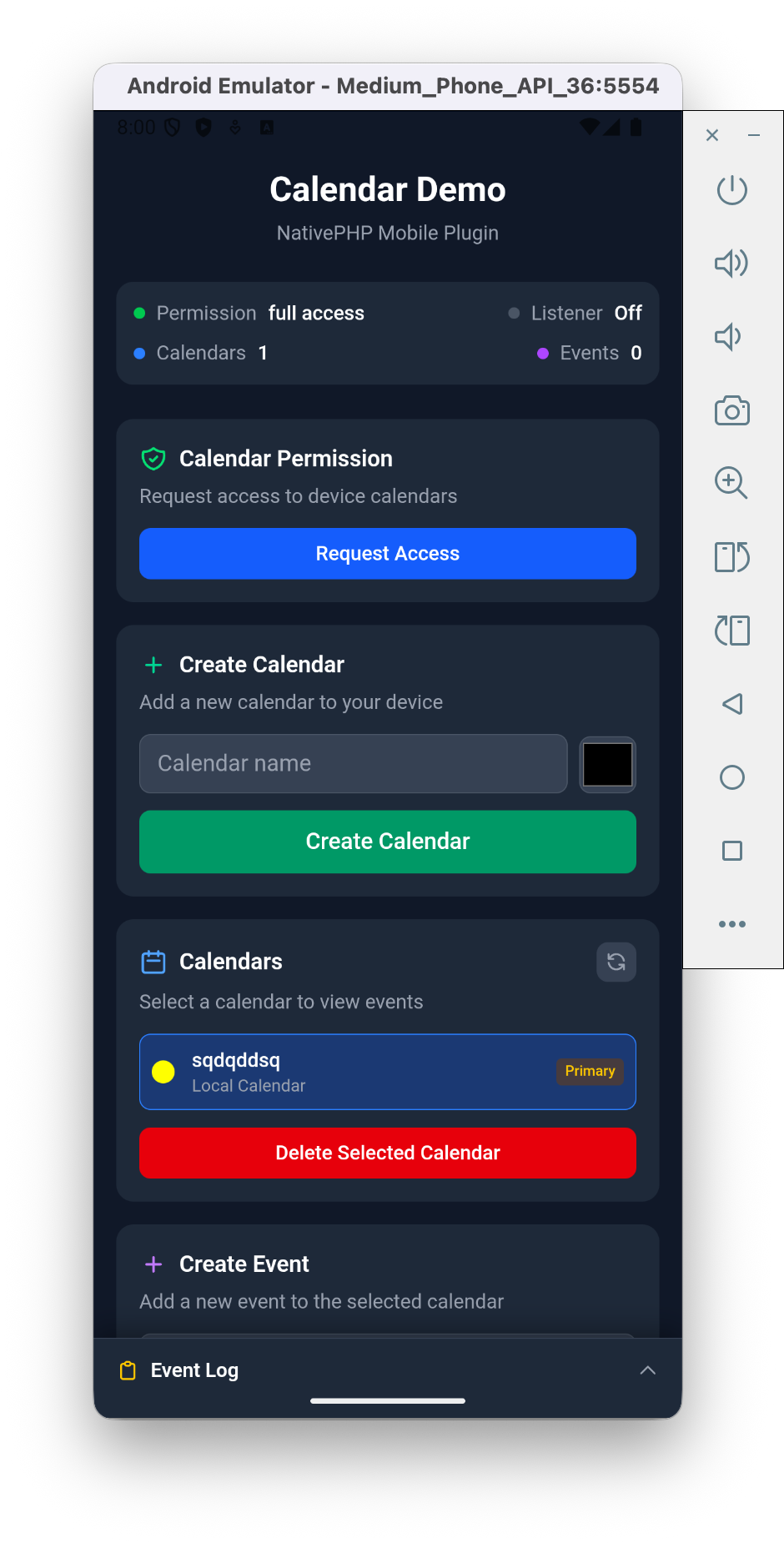
Read, create and manage calendars and events on the user's device, straight from your Laravel app. Recurring rules, reminders, attendees, live change detection and native calendar app integration — all through a fluent builder. No Swift, no Kotlin.
Why this plugin?#
- 📅 Full CRUD on calendars & events — list, create, update, delete, through a fluent
EventDatabuilder. - 🔁 Recurring events made easy —
RecurrenceRule::weekly()->onDays(Monday, Wednesday)->until(...). RFC 5545 without the headaches. - 🔔 Alarms, attendees & all-day events — everything users expect from a real calendar app.
- 🚀 Open the native calendar app — let users add or edit events through the OS UI (Android intent = zero permissions).
- 📡 Real-time change listener — react the moment an event is created, updated or deleted — even from other apps.
- 🌐 Pure-PHP URL helpers — generate Google Calendar / Outlook / Office 365 / Yahoo / ICS links without any native call.
Features at a glance#
| Feature | Android | iOS |
|---|---|---|
| List / create / delete calendars | ✅ | ✅ |
| CRUD events | ✅ | ✅ |
| Recurring events (RRULE) | ✅ | ✅ |
| Alarms | ✅ | ✅ |
| Attendees (programmatic add) | ✅ | read-only |
| Open native calendar app | ✅ intent, no permission | ✅ |
| Write-only permission | — | iOS 17+ |
| Change listener | ✅ | ✅ |
Perfect for#
Scheduling & booking apps · CRMs · Fitness & habit trackers · Event & ticketing apps · Field-service dispatch · Productivity tools
Installation#
# Install the packagecomposer require srwiez/nativephp-mobile-calendar # Publish the plugins provider (first time only)php artisan vendor:publish --tag=nativephp-plugins-provider # Register the pluginphp artisan native:plugin:register srwiez/nativephp-mobile-calendar # Verify registrationphp artisan native:plugin:listPermissions#
The plugin automatically configures the required permissions:
Android (AndroidManifest.xml):
android.permission.READ_CALENDARandroid.permission.WRITE_CALENDAR
iOS (Info.plist):
NSCalendarsUsageDescriptionNSCalendarsFullAccessUsageDescription(iOS 17+)NSCalendarsWriteOnlyAccessUsageDescription(iOS 17+)
Usage#
Check & Request Permission#
use SRWieZ\NativePHP\Mobile\Calendar\Facades\Calendar;use SRWieZ\NativePHP\Mobile\Calendar\Enums\CalendarAccessLevel; // Check current permission status (no user interaction)$status = Calendar::checkPermission();// Returns: 'not_determined', 'denied', 'restricted', 'write_only', 'full_access' // Request full access (read + write)$result = Calendar::requestAccess(CalendarAccessLevel::Full); // Request write-only access (iOS 17+ only)$result = Calendar::requestAccess(CalendarAccessLevel::Write); if ($result['granted']) { // Permission granted}CalendarAccessLevel per Platform
| CalendarAccessLevel | iOS | Android |
|---|---|---|
Read |
Not applicable (mapped to Full) | Requests READ_CALENDAR only |
Write |
Requests write-only access (iOS 17+), full access on older iOS | Requests WRITE_CALENDAR only |
Full |
Requests full access (read + write) | Requests both READ_CALENDAR + WRITE_CALENDAR |
PermissionStatus per Platform
| PermissionStatus | iOS | Android |
|---|---|---|
NotDetermined |
Never prompted yet | Never prompted yet |
Denied |
User denied access | User denied access |
Restricted |
Parental controls / MDM | Not used |
WriteOnly |
iOS 17+ write-only grant | Not used |
FullAccess |
Full access granted | Both permissions granted |
List Calendars#
// Get all calendars$calendars = Calendar::calendars()->get(); // Get only writable calendars$calendars = Calendar::calendars()->writable()->get(); // Get default calendar$default = Calendar::getDefaultCalendar(); // Calendar properties: id, name, color, accountName, isPrimary, isReadOnly, isDeletableCreate Calendar#
$calendar = Calendar::createCalendar( title: 'My App Calendar', color: '#FF5733');Delete Calendar#
$deleted = Calendar::deleteCalendar($calendarId);Query Events#
use SRWieZ\NativePHP\Mobile\Calendar\Facades\Calendar; // Query events with fluent builder$events = Calendar::events() ->calendarId($calendarId) ->between(now(), now()->addMonth()) ->search('meeting') ->limit(50) ->get(); // Get a single event$event = Calendar::getEvent($eventId);Date ranges: if you don't call between() (or from()/to()), both
platforms default to a window of now → +30 days. Always pass an explicit
range when you need anything else. On iOS, EventKit additionally caps any
single query at 4 years — split longer ranges into multiple queries.
Create Event#
use SRWieZ\NativePHP\Mobile\Calendar\Data\EventData;use SRWieZ\NativePHP\Mobile\Calendar\Data\RecurrenceRule;use SRWieZ\NativePHP\Mobile\Calendar\Data\Alarm;use SRWieZ\NativePHP\Mobile\Calendar\Enums\DayOfWeek; // Simple event$event = Calendar::createEvent([ 'title' => 'Team Meeting', 'startDate' => now()->addDay()->timestamp, 'endDate' => now()->addDay()->addHour()->timestamp, 'location' => 'Conference Room A',]); // Using fluent builder$event = Calendar::createEvent( EventData::make('Weekly Standup') ->startsAt(now()->next(DayOfWeek::Monday)->setHour(10)) ->endsAt(now()->next(DayOfWeek::Monday)->setHour(10, 30)) ->at('Virtual - Zoom') ->describedAs('Team weekly sync meeting') ->inCalendar($calendarId) ->repeating( RecurrenceRule::weekly() ->onDays(DayOfWeek::Monday) ->count(12) ) ->withAlarm(Alarm::minutesBefore(15)) ->withAlarm(Alarm::hoursBefore(1)));Tracking Created Events#
createEvent() returns the full event object including the native calendar event ID. Store this ID in your database to retrieve or manage the event later:
$event = Calendar::createEvent( EventData::make('Team Meeting') ->from(now()->addDay(), now()->addDay()->addHour()) ->inCalendar($calendarId)); if ($event) { // Persist the native event ID for future lookups $user->calendarEvents()->create([ 'native_event_id' => $event->id, 'title' => $event->title, ]); // Later, retrieve the event from the native calendar $nativeEvent = Calendar::getEvent($event->id);}Update Event#
$updated = Calendar::updateEvent($eventId, [ 'title' => 'Updated Title', 'location' => 'New Location',]); // Or with EventData$updated = Calendar::updateEvent($eventId, EventData::make('Updated Meeting') ->startsAt($newStart) ->endsAt($newEnd));Merge semantics — what updateEvent() can and cannot do:
- Only the fields you pass are touched; everything else is left alone.
- It cannot clear a field (there is no "set to empty" path), and it cannot move an event to another calendar.
- Recurrence rules are not updated through
updateEvent()— recreate the event to change them. Alarms have their own methods (addAlarm(),removeAlarm()).
Delete Event#
// Delete single eventCalendar::deleteEvent($eventId); // Delete all occurrences of a recurring eventCalendar::deleteEvent($eventId, deleteAllOccurrences: true);Recurring Events#
use SRWieZ\NativePHP\Mobile\Calendar\Data\RecurrenceRule;use SRWieZ\NativePHP\Mobile\Calendar\Enums\DayOfWeek;use SRWieZ\NativePHP\Mobile\Calendar\Enums\RecurrenceFrequency; // Daily for 10 occurrences$rule = RecurrenceRule::daily()->count(10); // Weekly on Monday and Wednesday until date$rule = RecurrenceRule::weekly() ->onDays(DayOfWeek::Monday, DayOfWeek::Wednesday) ->until(now()->addMonths(6)); // Monthly on the 15th$rule = RecurrenceRule::monthly() ->onDayOfMonth(15) ->count(12); // Every 2 weeks$rule = RecurrenceRule::make(RecurrenceFrequency::Weekly) ->interval(2) ->count(26); // Get instances of a recurring event$instances = Calendar::getEventInstances( $eventId, now(), now()->addMonths(3));Alarms#
use SRWieZ\NativePHP\Mobile\Calendar\Data\Alarm;use SRWieZ\NativePHP\Mobile\Calendar\Enums\AlarmMethod; // Add alarm to existing eventCalendar::addAlarm($eventId, Alarm::minutesBefore(30));Calendar::addAlarm($eventId, Alarm::hoursBefore(1));Calendar::addAlarm($eventId, Alarm::daysBefore(1)); // Alarm with specific method (Android)Calendar::addAlarm($eventId, Alarm::minutesBefore(15)->method(AlarmMethod::Email)); // Remove alarm by indexCalendar::removeAlarm($eventId, alarmIndex: 0);Attendees#
use SRWieZ\NativePHP\Mobile\Calendar\Data\Attendee;use SRWieZ\NativePHP\Mobile\Calendar\Enums\AttendeeType; // Get attendees$attendees = Calendar::getAttendees($eventId); // Add attendee (Android only - throws UnsupportedPlatformException on iOS)try { Calendar::addAttendee($eventId, ->name('John Doe') ->type(AttendeeType::Required) );} catch (UnsupportedPlatformException $e) { // Use calendar URI helpers instead for cross-platform support}Open Native Calendar App#
// Open to add event (uses Intent on Android - no permission needed)Calendar::openCalendarToAdd( EventData::make('Quick Event') ->startsAt(now()->addHour()) ->endsAt(now()->addHours(2))); // Open to edit existing eventCalendar::openCalendarToEdit($eventId); // Open calendar to view specific dateCalendar::openCalendarToView(now()->addWeek()); // Open calendar to todayCalendar::openCalendarToView();Listen for Calendar Changes#
// Start listening for event changesCalendar::startChangeListener(trackEvents: true); // Also detect calendar create/delete (e.g. from external apps)Calendar::startChangeListener(trackEvents: true, trackCalendars: true); // In your Livewire componentuse SRWieZ\NativePHP\Mobile\Calendar\Events\CalendarChanged;use SRWieZ\NativePHP\Mobile\Calendar\Events\CalendarCreated;use SRWieZ\NativePHP\Mobile\Calendar\Events\CalendarDeleted; #[OnNative(CalendarChanged::class)]public function handleCalendarChanged(string $changeType, array $eventIds = []){ $this->loadEvents();} #[OnNative(CalendarCreated::class)]public function handleCalendarCreated(string $calendarId, string $name){ $this->loadCalendars();} #[OnNative(CalendarDeleted::class)]public function handleCalendarDeleted(string $calendarId){ $this->loadCalendars();} // Stop listening when doneCalendar::stopChangeListener();Calendar URI Helpers (Pure PHP - No Native Calls)#
Generate URLs to add events to various calendar services:
use SRWieZ\NativePHP\Mobile\Calendar\Data\EventData; $event = EventData::make('Conference Talk') ->startsAt(now()->addWeek()) ->endsAt(now()->addWeek()->addHours(2)) ->at('Convention Center') ->describedAs('My talk on NativePHP'); // Google Calendar$url = Calendar::generateGoogleCalendarUrl($event); // Outlook.com$url = Calendar::generateOutlookUrl($event); // Office 365$url = Calendar::generateOffice365Url($event); // Yahoo Calendar$url = Calendar::generateYahooUrl($event); // Webcal subscription URL$url = Calendar::generateWebcalUrl('https://example.com/calendar.ics'); // Generate ICS file content$ics = Calendar::generateIcsContent($event); // Generate ICS for multiple events$ics = Calendar::generateIcsContent([$event1, $event2, $event3]); // Generate data URI for download link$dataUri = Calendar::generateIcsDataUri($event);// Use in HTML: <a href="{{ $dataUri }}" download="event.ics">Download</a>Events#
The plugin dispatches Laravel events for async operations:
| Event | Description |
|---|---|
CalendarAccessGranted |
Permission was granted |
CalendarAccessDenied |
Permission was denied |
CalendarChanged |
Calendar or events changed (from listener) |
CalendarCreated |
A calendar was created (CRUD or listener detection) |
CalendarDeleted |
A calendar was deleted (CRUD or listener detection) |
EventCreated |
Event was created |
EventUpdated |
Event was updated |
EventDeleted |
Event was deleted |
use Native\Mobile\Attributes\OnNative;use SRWieZ\NativePHP\Mobile\Calendar\Events\EventCreated; #[OnNative(EventCreated::class)]public function handleEventCreated($eventId){ // Handle event creation}JavaScript Usage#
import { mobileCalendar } from '../../vendor/srwiez/nativephp-mobile-calendar/resources/js/mobileCalendar.js'; // Request permissionconst { granted, status } = await mobileCalendar.requestAccess('full'); // Get calendarsconst { calendars } = await mobileCalendar.getCalendars(); // Create eventconst { success, event } = await mobileCalendar.createEvent({ title: 'Meeting', startDate: Math.floor(Date.now() / 1000) + 86400, endDate: Math.floor(Date.now() / 1000) + 90000, location: 'Office'}); // Open native calendar appawait mobileCalendar.openCalendarToAdd({ title: 'Quick Event', startDate: Math.floor(Date.now() / 1000) + 3600, endDate: Math.floor(Date.now() / 1000) + 7200});Platform Differences#
| Feature | iOS | Android |
|---|---|---|
| Add Attendees | Not supported (read-only) | Supported (metadata only, no invitations sent) |
| Intent-based (no permission) | N/A | openCalendarToAdd |
| Write-only permission | iOS 17+ | N/A |
| Separate read/write permissions | No (full-or-nothing) | Yes (READ_CALENDAR / WRITE_CALENDAR) |
| Restricted status | Yes (parental controls / MDM) | No |
Important Notes for Newcomers#
If you've never worked with native calendar APIs before, read this section carefully. Calendar integration has significant platform-level quirks that this plugin abstracts where possible, but cannot fully hide.
Permissions Are Required First#
You must request and receive permission before calling any calendar method. Without permission, methods won't throw errors — they silently return empty results or null values. Always request access on app launch or before your first calendar operation:
$result = Calendar::requestAccess(CalendarAccessLevel::Full); if (! $result['granted']) { // Don't attempt calendar operations — they will return empty/null return;}On iOS, requestAccess() triggers the system permission dialog. On Android, it only checks whether permissions have already been granted by the OS — you must handle the actual permission request through NativePHP's permission system.
Timestamps Are Always Unix Seconds#
All dates in the plugin API use Unix timestamps in seconds (not milliseconds). The plugin handles the conversion to iOS's TimeInterval and Android's millisecond-based ContentProvider internally.
// Correct: Carbon timestamps work directly$event = EventData::make('Meeting') ->from(now()->addDay(), now()->addDay()->addHour()); // Also correct: raw Unix timestamp in seconds$event = Calendar::createEvent([ 'title' => 'Meeting', 'startDate' => now()->addDay()->timestamp, 'endDate' => now()->addDay()->addHour()->timestamp,]);In JavaScript, remember to divide Date.now() by 1000:
const startDate = Math.floor(Date.now() / 1000) + 3600;Timezone Is Metadata Only#
Setting a timezone on an event (inTimezone()) does not adjust the timestamps. It is stored as display metadata. You are responsible for converting your timestamps to the intended timezone before passing them.
Event IDs Differ Between Platforms#
- iOS: UUIDs like
"[email protected]" - Android: Numeric database row IDs like
"42"
Both are returned as strings. Never assume a numeric format. Store them as strings in your database.
All-Day Events Ignore Time Components#
When isAllDay is true, the time portion of your start/end timestamps is ignored. The event spans the entire calendar day(s). Don't rely on specific hours for all-day events.
Recurring Events#
- Use the
RecurrenceRuleclass to build rules safely. Raw RRULE strings must follow RFC 5545 format. getEventInstances()only returns instances within the date range you specify. A too-narrow range returns no results.deleteEvent($id, deleteAllOccurrences: true)on iOS deletes the current and all future occurrences, not past ones. On Android, it deletes the entire event.- Not all RFC 5545 features are supported (e.g.,
BYSECOND,BYHOURare ignored).
Change Listener Must Be Stopped#
The change listener registers a native observer that persists until explicitly stopped. Failing to call stopChangeListener() will leak memory. Always clean up:
// When your component is destroyed or no longer needs updatesCalendar::stopChangeListener();The trackEvents: true option captures a snapshot of all events (±1 year) in memory. The trackCalendars: true option captures a snapshot of calendar IDs. On devices with thousands of events, event tracking can be expensive. Only enable what you need.
Creating Calendars Has Caveats#
On Android, creating a local calendar requires internal sync adapter flags. The plugin handles this, but the calendar may not appear in all calendar apps. On iOS, a local calendar source must exist (it usually does). If no source is available, creation fails with an error message.
Attendees Are Read-Only on iOS#
iOS does not allow programmatically adding attendees to events — EKParticipant is a read-only class. Calling addAttendee() on iOS returns {"supported": false}. Use the calendar URI helpers or openCalendarToAdd() as cross-platform alternatives for inviting people.
On Android, addAttendee() works but only adds attendee metadata to the event. It does not send email invitations.
Version Support#
| Platform | Minimum Version |
|---|---|
| Android | 4.0 (API 14) |
| iOS | 17.0 |
Features requiring higher versions:
- iOS 17+: Write-only calendar access (
CalendarAccessLevel::Write)
Support#
Bugs, questions, and feature requests should be reported at github.com/SRWieZ/nativephp-mobile-packages.