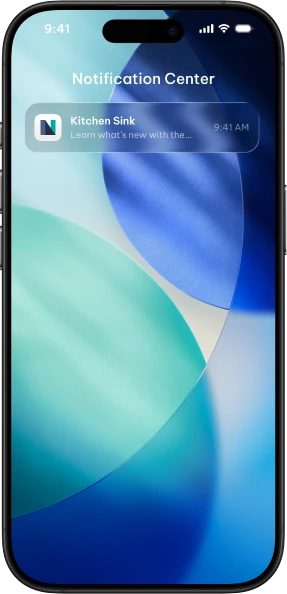
Your app is installed. Your user closes it. How do you bring them back?
Push notifications are the lifeblood of user engagement. NativePHP makes them simple — one API handles both iOS (APNs) and Android (FCM).
In this post:
How It Works#
- User enrolls — Your app requests permission and gets a device token
- You store the token — Save it to your backend
- You send notifications — Push from your server
- User receives it — Even when the app is closed
Request Permission#
PHP (Livewire)#
Copied!
use Native\Mobile\Facades\PushNotifications;use Native\Mobile\Events\PushNotification\TokenGenerated; public function enableNotifications(){ PushNotifications::enroll();} #[On('native:' . TokenGenerated::class)]public function handleToken(string $token){ auth()->user()->update(['push_token' => $token]); $this->enrolled = true;}JavaScript (Vue/React/Inertia)#
Copied!
import { PushNotifications, On, Off, Events } from '@nativephp/mobile'; const enableNotifications = async () => { await PushNotifications.enroll();}; On(Events.PushNotification.TokenGenerated, ({ token }) => { // Send token to your backend fetch('/api/push-token', { method: 'POST', body: JSON.stringify({ token }) }); enrolled.value = true;});Handle the Token#
Check Current Token (PHP)#
Copied!
$token = PushNotifications::getToken(); if ($token) { // User has notifications enabled}Check Current Token (JavaScript)#
Copied!
import { PushNotifications } from '@nativephp/mobile'; const token = await PushNotifications.getToken(); if (token) { // User has notifications enabled}Send from Your Backend#
Copied!
class PushService{ public function send(string $token, string $title, string $body): bool { return Http::withHeaders([ 'Authorization' => 'key=' . config('services.fcm.key'), ])->post('https://fcm.googleapis.com/fcm/send', [ 'to' => $token, 'notification' => compact('title', 'body'), ])->successful(); }}Best Practices#
- Ask at the right time — Not on first launch
- Explain the value — Tell users what they'll get
- Don't spam — Every unnecessary notification erodes trust
- Handle token refresh — Tokens can change
Token Refresh (PHP)#
Copied!
#[On('native:' . TokenGenerated::class)]public function handleToken(string $token){ $user = auth()->user(); if ($user->push_token !== $token) { $user->update(['push_token' => $token]); }}Token Refresh (JavaScript)#
Copied!
On(Events.PushNotification.TokenGenerated, ({ token }) => { if (currentToken.value !== token) { updateToken(token); }});You've got push notifications. Use them wisely, and your users will thank you by coming back.
Happy pinging! 🔔